

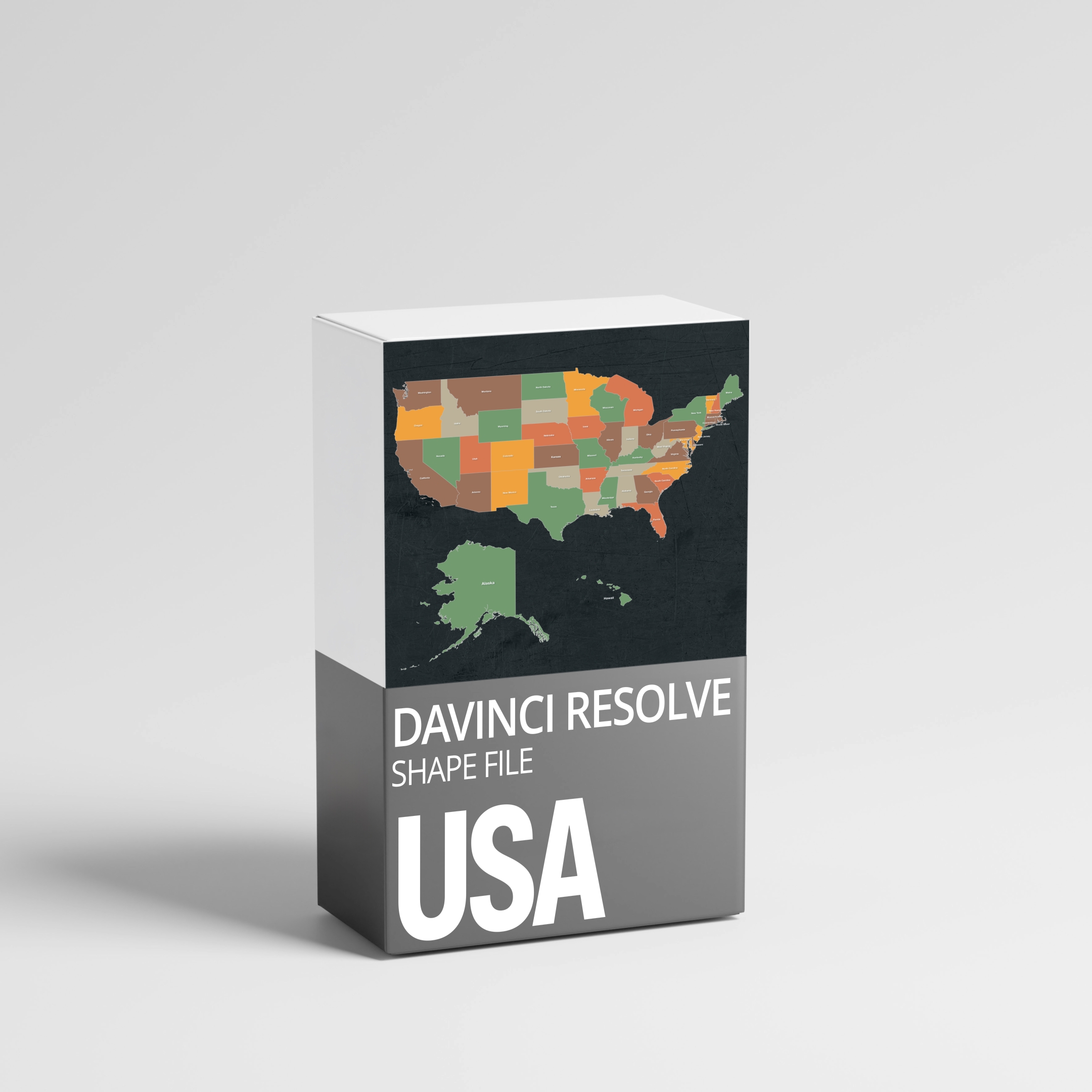
USA Shape File for DaVinci Resolve
High-Quality State Map Digital Asset
CHF15.00CHF10.00
Easily create USA maps for your next video. Perfect for animators and content creators, this digital product provides a vector graphic of all U.S. states, ready for animation or graphic design in DaVinci's Fusion page. Ideal for documentary, travel, or educational videos. Download and integrate instantly for results like Johnny Harris and VOX.
Method 1:
Add to the DaVinci Resolve folder on your hard drive, which can be found with the path below.
Mac:
/Library/Application Support/Blackmagic Design/DaVinci Resolve
Windows:
C:\Users\[Username]\AppData\Roaming\Blackmagic Design\DaVinci Resolve
Inside there, open the following folders:
Fusion >> Macros
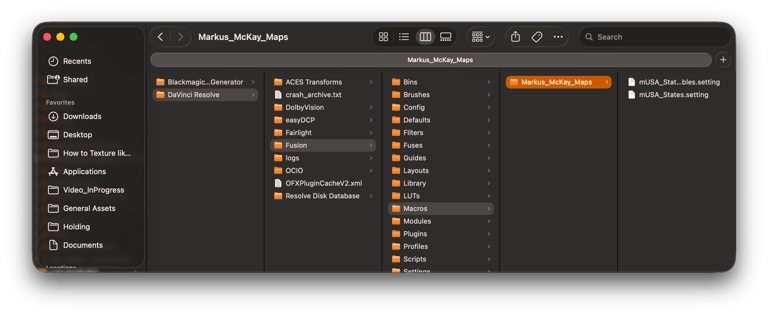
And move the <<Maps_MarkusMcKay>> folder here.
If one of these folders does not exist, feel free to create it and paste the <<Maps_MarkusMcKay>> folder in there.
Restart DaVinci Resolve, and the macros can be loaded inside Fusion.
Method 2:
Alternatively, you can open a new Fusion composition. Then click on
File >> Import >> Fusion Composition >> (select the .comp file)
THIS WILL OVERWRITE YOUR CURRENT COMPOSITION!!!!!
Contact
© 2026. All rights reserved.
info(at)709am.com